

WordPress property management plugin vs SAAS is a major question for landlords. Every landlord who outgrows a spreadsheet hits the same fork in the road: sign up for a cloud property management platform (SaaS), or run property management inside the WordPress site you already own with a plugin like LeaseFox.
Both approaches work. This guide compares them honestly on cost, data ownership, branding and features, so you can pick the one that fits your portfolio instead of the one with the biggest ad budget.
What is a SaaS property management platform?
SaaS platforms are cloud-hosted products you subscribe to. You log in through a browser, your data is stored on the vendor's servers, and you pay every month or year for as long as you use them. Popular options include:
- Buildium — plans start at $62/month (Essential), with Growth at $192/month and Premium at $400/month (Buildium pricing).
- TenantCloud — Starter is $18/month or $180/year for up to 10 leases; Growth is $35/month for up to 30 leases (TenantCloud pricing).
- AppFolio — quote-based pricing with a 50-unit minimum on its Core plan (AppFolio pricing).
These are capable, polished products. For large management companies with staff, accountants and hundreds of units, one of them is often the right answer. For an independent landlord with a handful of doors, the trade-offs look different.
The cost comparison
Here is what the entry-level options cost over five years, using each vendor's published prices as of September 2026. Hosting is left out because most landlords reading this already pay for a WordPress site.
| Option | Published price | 5-year cost |
|---|---|---|
| LeaseFox free plugin | $0 | $0 |
| LeaseFox Personal license | $149/year | $745 |
| TenantCloud Starter (10 leases) | $180/year | $900 |
| Buildium Essential | From $62/month | From $3,720 |
| AppFolio Core | Quote only, 50-unit minimum | Varies |
Two things stand out. First, the free LeaseFox plugin covers property tracking, tenants, invoicing, reports and a tenant portal at no cost. Second, the cheapest SaaS tiers are competitive on price, so the real differences are ownership, branding and flexibility, covered below.
Data ownership and portability
With SaaS, your lease records, payment history and tenant contacts live on someone else's servers. If the vendor raises prices, changes terms or is acquired, moving out can be painful. Before signing with any provider, confirm how you can export your data if you leave.
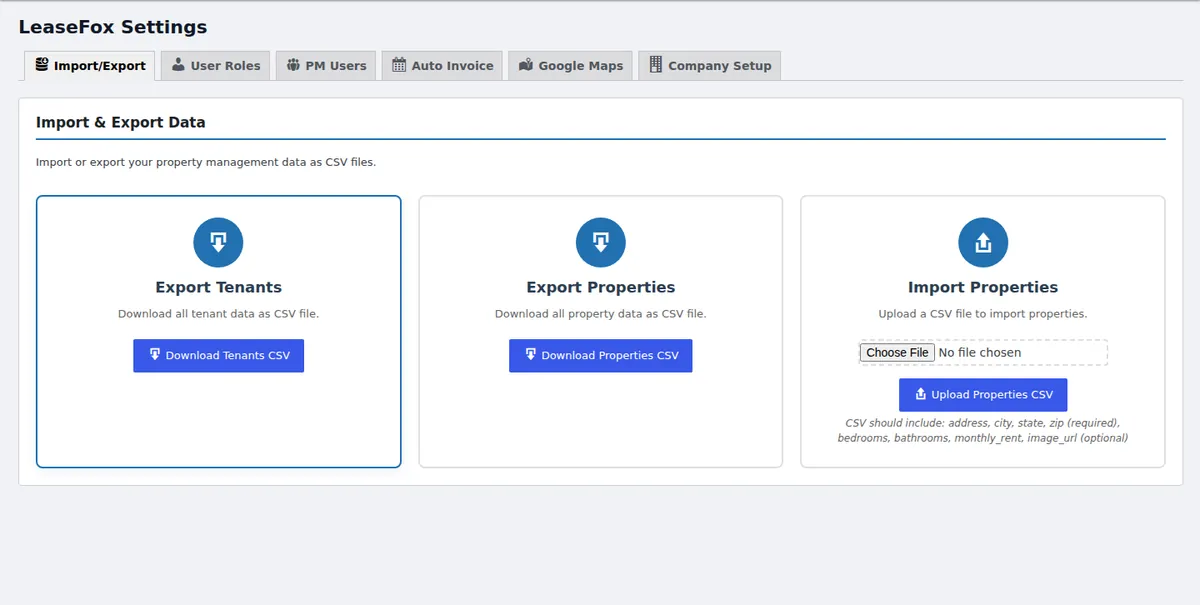
With a WordPress plugin, the data sits in your own WordPress database, covered by your own backups. In LeaseFox you can download tenants and properties as CSV files at any time from the settings screen.
Branding and the tenant experience
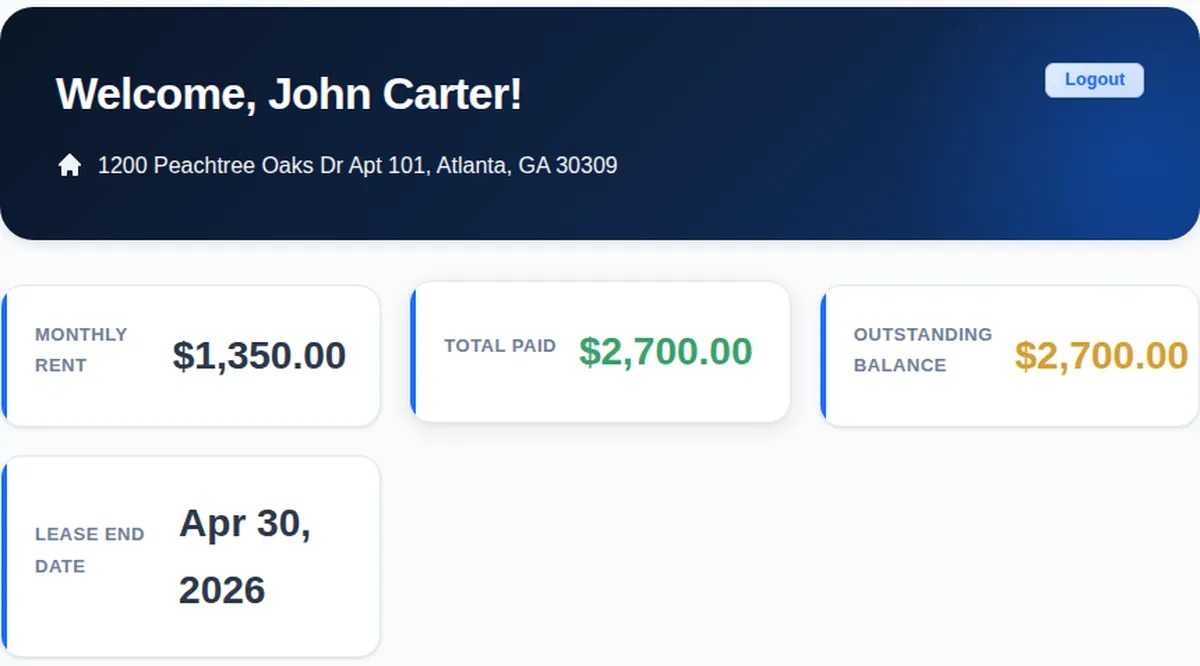
SaaS tenant portals carry the vendor's look and live on the vendor's domain. A plugin puts the portal on your own website. LeaseFox gives tenants a password-protected portal, separate from WordPress admin, where they can see their rent, balance, lease end date and invoices.
Because it runs inside WordPress, it also fits the tools you already use: your theme, your page builder, your SEO plugin and your backups.
Features: where each option wins
The free LeaseFox plugin includes property management with photo galleries, tenant tracking and online applications, invoice generation and payment tracking, auto-invoicing on a recurring schedule, reports, CSV import and a tenant portal. Paid plans add online rent payments through Stripe, lease PDFs and e-signatures, inspections, maintenance scheduling, two-way messaging and SMS alerts.
SaaS platforms tend to go deeper on full accounting, tenant screening networks and multi-staff workflows. If those are central to your business, weigh them carefully.
Who should choose which?
A WordPress plugin like LeaseFox fits if you:
- Already run a WordPress website, or plan to
- Manage a small to mid-sized portfolio yourself
- Want tenant data stored on a server you control
- Want the tenant portal to look like your business
- Prefer a free start and a yearly license over a monthly bill
A SaaS platform fits if you:
- Manage a large portfolio with a team of staff
- Need built-in full accounting and owner statements
- Have no website and don't want to maintain one
- Would rather the vendor handle hosting, updates and backups
Frequently asked questions
Is a WordPress plugin as capable as SaaS software?
For the day-to-day work of a small landlord (tracking properties and tenants, invoicing, reports and a tenant portal), yes. Enterprise SaaS platforms go further on accounting and large-team features.
What happens to my data if I stop using LeaseFox?
It stays in your WordPress database, and you can export tenants and properties to CSV from the settings screen.
Can I try LeaseFox before paying?
Yes. The core plugin is free on WordPress.org, and there is a live demo you can click through. Paid plans come with a 30-day money-back guarantee.
Ready to compare for yourself? Install LeaseFox free from WordPress.org, or see plans and pricing.