

Chasing rent is one of the least enjoyable parts of being a landlord. If your business already runs on WordPress, you can collect rent online through your own website, using WooCommerce and Stripe, instead of paying for a separate rent-collection service.
This guide explains how online rent collection works with WordPress and LeaseFox, what it costs, and how to set it up.
Why collect rent through your own WordPress site?
- No extra platform fee. WooCommerce itself is free. You pay your payment processor's standard fees.
- Your brand. Tenants pay on your domain, not a third-party site.
- Your records. Invoices and payment history stay in your WordPress database.
- Tools you know. WooCommerce works with many payment gateways, and Stripe is the most common choice.
How it works with LeaseFox
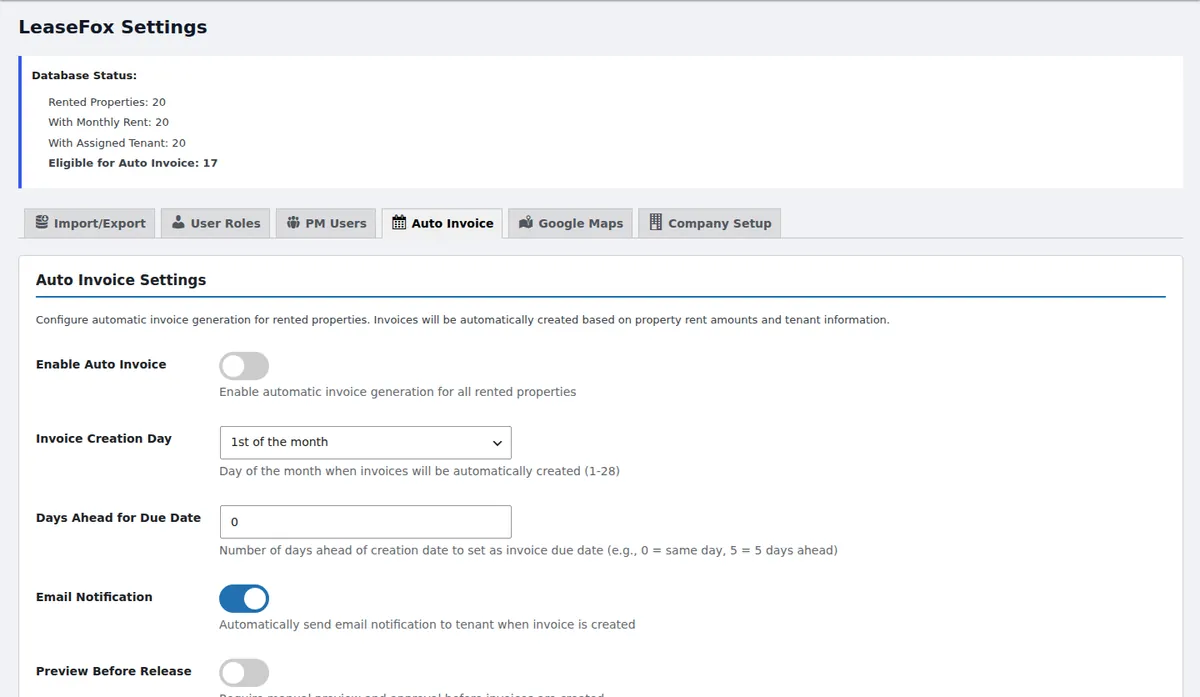
LeaseFox is built around invoices. Each month, auto-invoicing creates an invoice for every rented unit on the day you choose and can email the tenant automatically.
From there, LeaseFox's paid plans give you two ways to get paid online:
- Stripe directly. Tenants pay invoices by card, and Auto Pay can charge them on schedule.
- WooCommerce checkout. Invoices can be converted to WooCommerce orders, so tenants pay through your store's normal checkout with any gateway you've enabled.
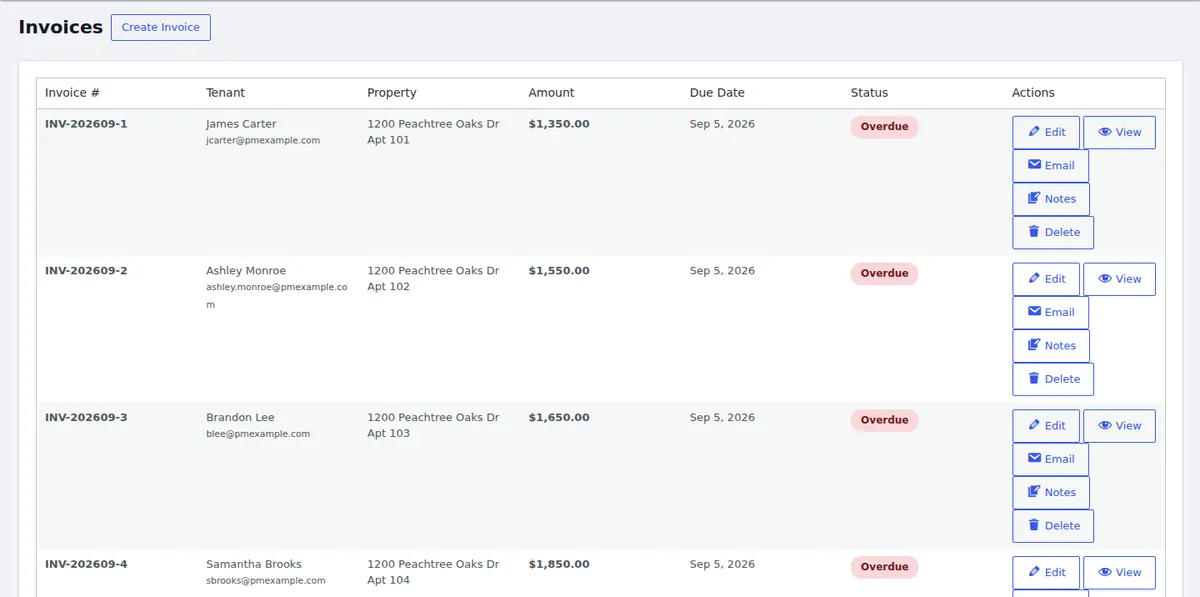
Either way, the invoice status updates when the payment comes in, so you can see at a glance who has paid and who is overdue.
What online rent collection costs
Processing fees depend on your gateway. Stripe's standard US pricing is 2.9% + 30¢ per successful domestic card payment, or 0.8% capped at $5 for ACH Direct Debit (Stripe pricing, September 2026).
| Monthly rent | Card (2.9% + 30¢) | ACH (0.8%, $5 cap) |
|---|---|---|
| $1,000 | $29.30 | $5.00 |
| $1,500 | $43.80 | $5.00 |
| $2,000 | $58.30 | $5.00 |
For rent-sized payments, ACH is usually far cheaper than cards. Many landlords offer both, and some pass card fees on to tenants where local law allows. Check your state's rules before adding a surcharge.
Setup checklist
- Install WooCommerce from Plugins → Add New and run its setup wizard. Set your country and US dollars as the currency.
- Connect Stripe. Create a Stripe account and connect it using the official Stripe payment gateway for WooCommerce.
- Install LeaseFox and add your properties and tenants, or import them from CSV.
- Turn on auto-invoicing and choose the invoice day and due-date offset.
- Enable online payments in your LeaseFox paid plan, choosing Stripe directly or WooCommerce checkout. The LeaseFox documentation covers the settings.
- Test it. Send yourself a small invoice and pay it before you roll it out to tenants.
What tenants see
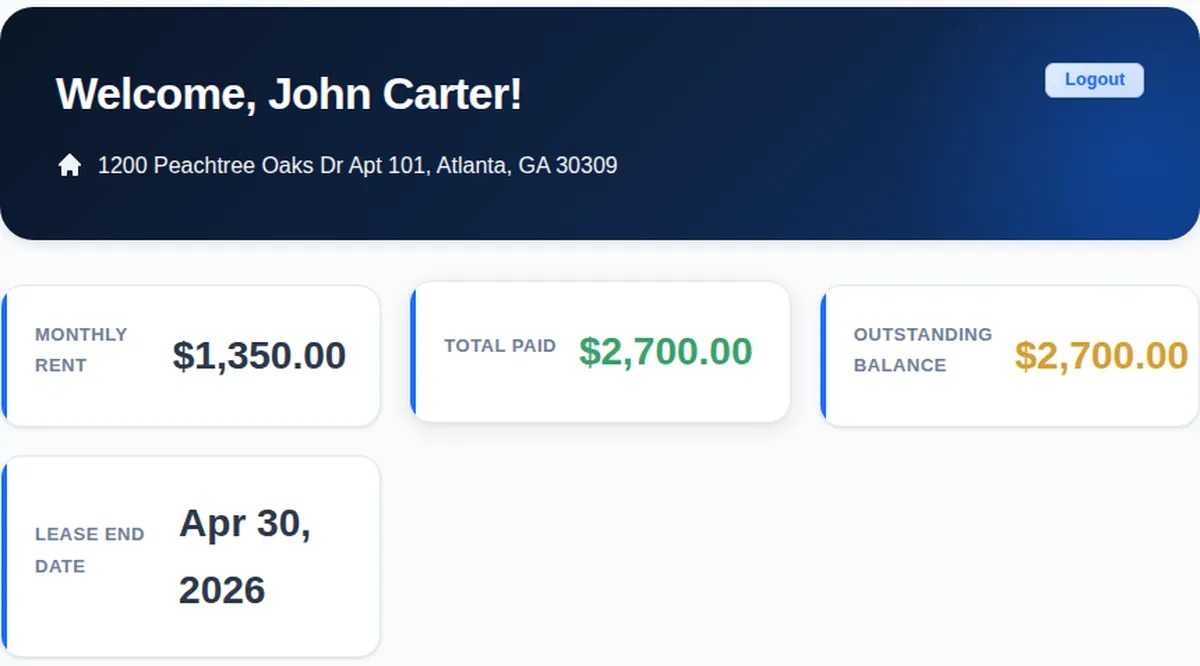
Tenants log in to the LeaseFox tenant portal on your website to see their rent, balance, lease end date and invoice history.
Frequently asked questions
Does WooCommerce take a cut of rent payments?
No. WooCommerce core is free and doesn't charge transaction fees. You pay your payment gateway's fees.
Can tenants pay by bank transfer instead of card?
Yes, if your gateway supports it. Stripe offers ACH Direct Debit in the US, which is usually much cheaper than cards for rent-sized payments.
Is online rent collection in the free LeaseFox plugin?
The free plugin handles invoices, auto-invoicing and payment tracking. Online payments through Stripe and WooCommerce are part of the paid plans. See pricing.
Building your site from scratch? Follow our guide to setting up a rental property website with WordPress.
Stop chasing rent. Start with the free LeaseFox plugin, then upgrade for online payments when you're ready.