

Why should I switch from a spreadsheet to property management software? Most landlords start with a spreadsheet: a column for tenant names, another for rent due dates, maybe a tab for repairs. It works, until you add a few more units and the file starts running your week instead of the other way around.
Here are five signs you've outgrown the spreadsheet, and a step-by-step way to move your data into a WordPress property management plugin without starting from scratch.
5 Reasons to Switch from a Spreadsheet to Property Management Software
1. Manual entry invites mistakes
Every figure in a spreadsheet is typed by hand, and every formula is one bad paste away from breaking. Spreadsheet researcher Raymond Panko found that errors tend to appear in a few percent of all cells, so in a large file the question is how many errors there are, not whether one exists ("What We Know About Spreadsheet Errors"). For a landlord, those errors look like:
- Rent marked paid when a payment bounced
- A lease end date off by a month
- A deposit amount that doesn't match the signed lease
- A repair request that never made it into the file
A property management plugin stores each tenant, property and invoice as a record, so amounts and dates are entered once and reused everywhere.
2. Monthly admin eats your time
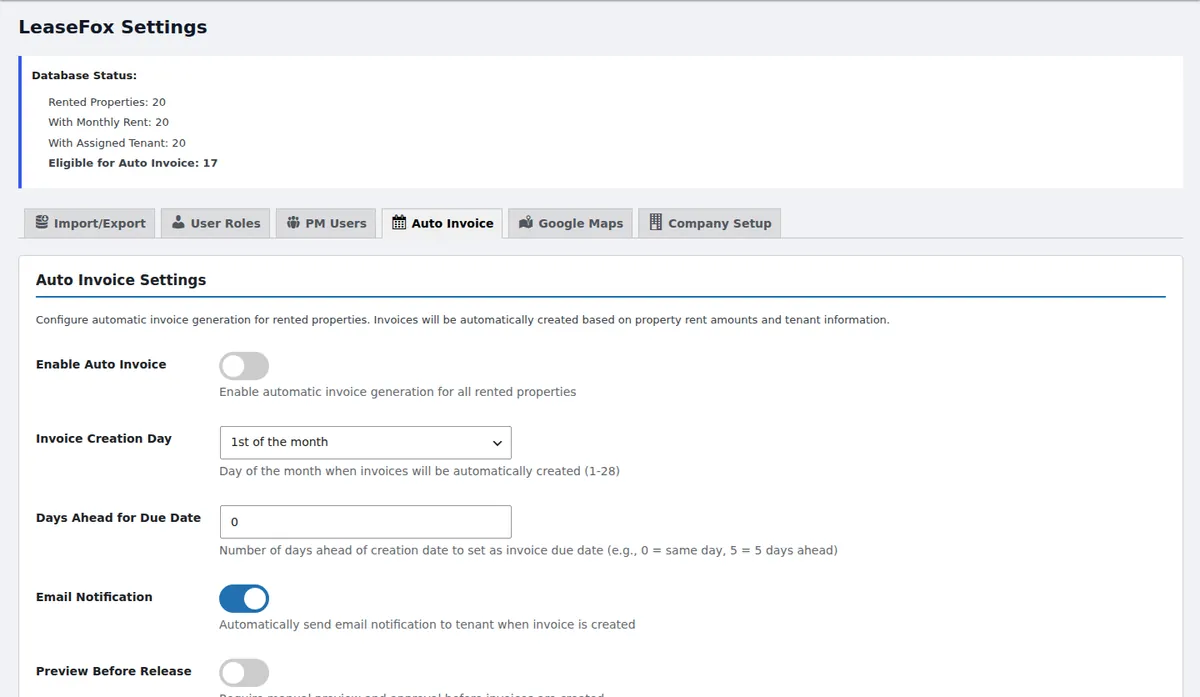
With a spreadsheet, the first of the month means cross-checking tabs, writing invoices one by one and scanning rows for who hasn't paid. In LeaseFox, auto-invoicing creates each tenant's invoice on the day of the month you choose and can email it to them automatically.
3. Late rent is easy to miss
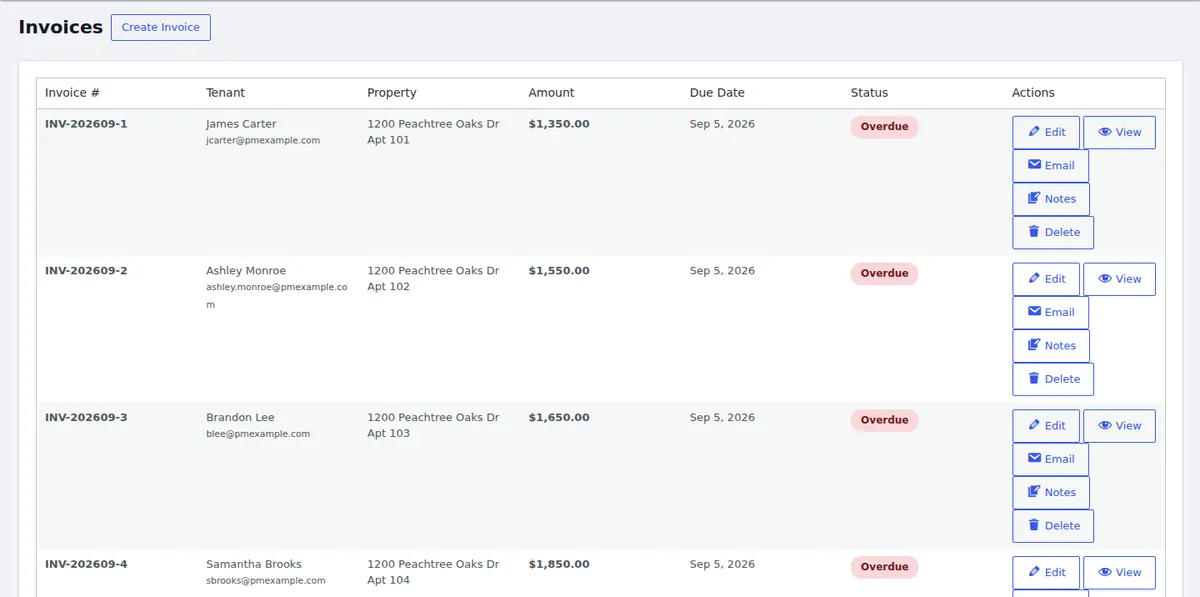
In a spreadsheet, a late payment only shows up when you go looking for it. In a property management plugin, every invoice has a status, so overdue rent is visible the moment you open the invoice list.
4. Tenant data deserves better protection
A rent spreadsheet often holds names, phone numbers, emails and sometimes ID or bank details. Emailed around or saved to a shared folder, that file is hard to control. Data privacy laws vary by state, but in every case it's wise to limit who can see tenant information.
Storing records inside your own WordPress site puts them behind your login, your SSL certificate and your backups. LeaseFox adds role-based access for staff, and tenants see only their own information through a separate, password-protected portal.
5. Spreadsheets don't grow with you
Each new unit adds another rent schedule, another lease renewal and another repair history to track. A plugin keeps them in one dashboard, with reports on occupancy, finances and lease activity instead of hand-built summary tabs.
How to switch from spreadsheets to LeaseFox
Step 1: Clean up and export your spreadsheet
Remove duplicate rows and fix obvious mistakes, then save your properties as a CSV file. For properties, include address, city, state and ZIP; bedrooms, bathrooms and monthly rent are optional columns.
Step 2: Install the free plugin
In your WordPress dashboard, go to Plugins → Add New, search for "LeaseFox," then install and activate it. The core plugin is free on WordPress.org.
Step 3: Import your properties
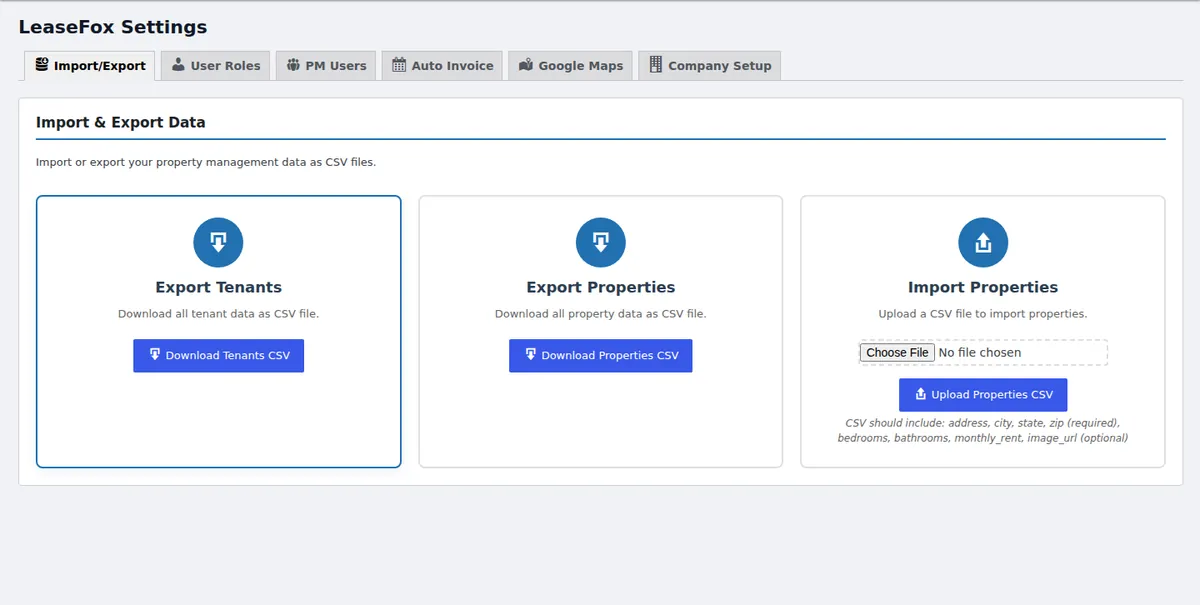
Open LeaseFox settings, choose Import/Export, and upload your properties CSV. The same screen lets you export tenants and properties later, so your data is never locked in.
Step 4: Add tenants and turn on auto-invoicing
Add each tenant and assign them to a property with their rent amount and lease dates. Then enable auto-invoicing, pick the day invoices are created, and decide whether tenants get an email notification.
Step 5: Keep the spreadsheet as a backup
Don't delete your old file. Keep a read-only copy for a few months while you confirm everything matches, then retire it.
Frequently asked questions
Can I import my spreadsheet into LeaseFox?
Yes. LeaseFox imports properties from a CSV file, and it can export tenants and properties back to CSV at any time.
Do I need to pay to get started?
No. Properties, tenants, invoicing, auto-invoicing, reports, CSV import and the tenant portal are in the free plugin. Paid plans add online rent payments through Stripe, lease PDFs, e-signatures and more.
Is WordPress secure enough for tenant data?
It can be, if you use a reputable host with SSL, keep WordPress and plugins updated, use strong passwords and run regular backups.
Weighing a plugin against a cloud subscription? Read our WordPress plugin vs. SaaS comparison.
Ready to retire the spreadsheet? Install LeaseFox free or try the live demo first.