

The right set of plugins can turn a basic WordPress site into a landlord's back office: listings, tenants, invoices, rent and reliable email, all in one place. The wrong set leaves you juggling overlapping tools.
Here's a practical plugin stack for landlords in 2026, organized by job. Full disclosure: LeaseFox is our plugin. Everything else here is independent, and most have free versions.
1. Property management: LeaseFox
Best for: landlords and small property managers who want long-term rental management inside WordPress.
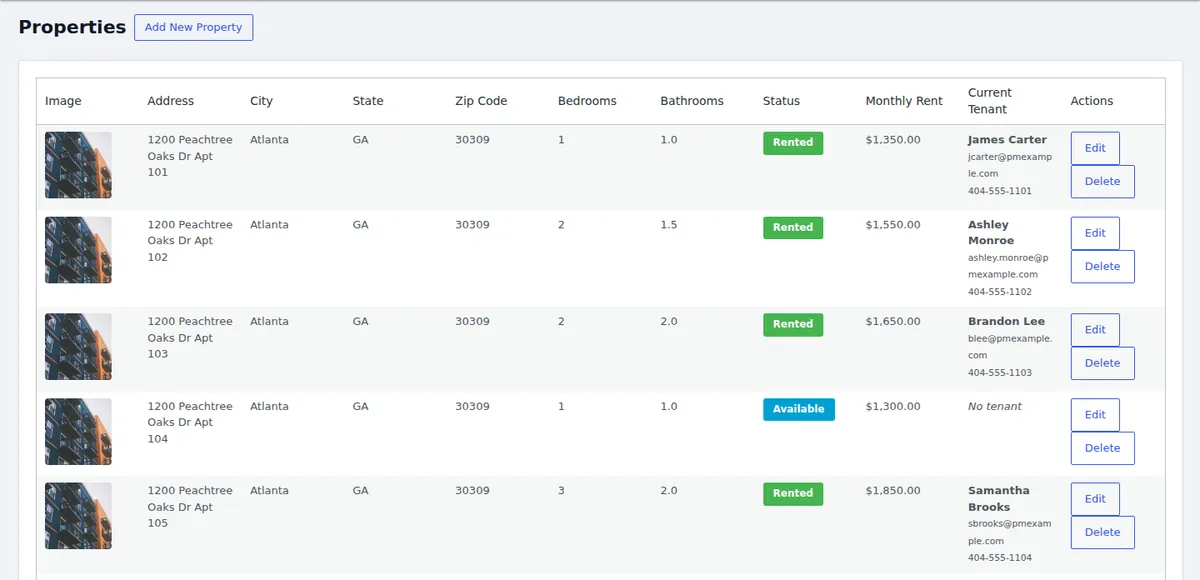
LeaseFox is built around the landlord's routine: properties, tenants, invoices and reports. The free version includes:
- Properties with photo galleries, plus public listing shortcodes
- Tenant tracking and online rental applications
- Invoicing with auto-invoicing on a schedule
- A password-protected tenant portal, separate from WordPress admin
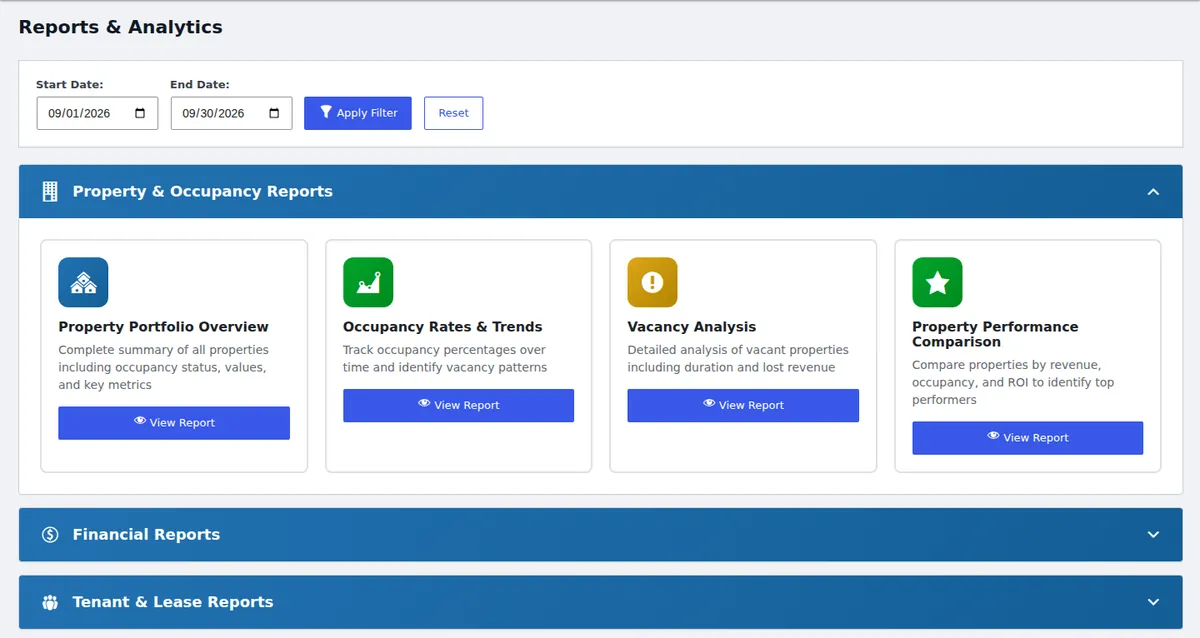
- Property, occupancy, financial and lease activity reports
- CSV import and role-based staff access
Paid plans (from $199/year) add online rent through Stripe or WooCommerce, lease PDFs and e-signatures, inspections, maintenance scheduling, messaging and SMS alerts. See pricing.
Not for: short-term or vacation rentals that need booking calendars and channel sync. Look at a dedicated booking plugin instead.
2. Payments: WooCommerce + Stripe
Best for: collecting rent on your own domain.
WooCommerce is free and supports many payment gateways. Paired with Stripe, tenants can pay by card or ACH bank debit. LeaseFox's paid plans can send invoices through WooCommerce checkout or charge them through Stripe directly. For the full setup, see our WooCommerce rent collection guide.
3. Email delivery: WP Mail SMTP
Best for: making sure invoices and reminders reach tenants' inboxes.
WordPress's default mail setup often lands in spam. WP Mail SMTP sends through a proper mail service, such as your email provider or a transactional service. If you send invoices by email, this is essential.
4. SEO: Rank Math or Yoast
Best for: helping renters find your vacancies on Google.
Rank Math and Yoast SEO both handle titles, meta descriptions, sitemaps and schema markup. Pick one, not both.
5. Security: Wordfence
Best for: protecting a site that stores tenant information.
Wordfence adds a firewall, malware scanning and login protection. Pair it with strong passwords and two-factor login for anyone with admin access.
6. Backups: UpdraftPlus
Best for: making sure you never lose tenant records.
When your records live in WordPress, backups matter. UpdraftPlus schedules backups to cloud storage such as Google Drive or Dropbox. Many hosts also include daily backups, so check yours first.
The recommended stack at a glance
| Job | Plugin | Free version? |
|---|---|---|
| Properties, tenants, invoices, reports | LeaseFox | Yes |
| Online rent payments | WooCommerce + Stripe | Yes (gateway fees apply) |
| Reliable email | WP Mail SMTP | Yes |
| Search visibility | Rank Math or Yoast SEO | Yes |
| Security | Wordfence | Yes |
| Backups | UpdraftPlus | Yes |
Bonus: use reports to run the business
Once your data is in one place, reports do the work a spreadsheet used to. LeaseFox groups them into property and occupancy, financial, and tenant and lease reports, each filterable by date range.
Frequently asked questions
What's the best free WordPress plugin for landlords?
For long-term rentals, look for a management plugin that tracks tenants and invoices, not just listings. LeaseFox's free version covers properties, tenants, invoicing, reports and a tenant portal.
Do I need a developer to set this up?
No. Each plugin installs from Plugins → Add New and is configured through its settings screens.
How many plugins is too many?
There's no magic number. Install only plugins you actively use, keep them updated, and remove anything that duplicates another tool.
Comparing options? Read free vs. paid property management plugins and WordPress plugin vs. SaaS.
Build your stack. Install LeaseFox free or try the demo.