

Here is the lowdown on LeaseFox vs. Buildium. Buildium is one of the best-known names in property management software, and for good reason: it's a complete accounting, leasing and maintenance platform. But a complete platform is priced like one. If you own a handful of units and already run a WordPress site, it's worth asking whether you need all of it.
This is an honest comparison. We make LeaseFox, so we're biased, and we'll say plainly where Buildium is the better choice.
The short answer
- Choose Buildium if you manage dozens or hundreds of units, need full property accounting, or want an all-in-one platform with a support team behind it.
- Choose LeaseFox if you have 1 to 20 units, already have (or want) a WordPress site, and want to track tenants, invoices and leases without a monthly bill.
What each one is
Buildium is a hosted (SaaS) platform. You sign up, log in to Buildium's website, and your data lives on Buildium's servers. Tenants and owners use Buildium's portals.
LeaseFox is a free WordPress plugin. You install it on your own site. Your properties, tenants and invoices are stored in your WordPress database, and tenants log in to a portal on your website, not a vendor's.
If you're still weighing that basic trade-off, start with our guide to WordPress plugins vs. SaaS.
Pricing
According to Buildium's pricing page (checked October 2026), plans start at:
| Plan | Starting price | Notes |
|---|---|---|
| Essential | $62/month | Accounting, maintenance and leasing basics |
| Growth | $192/month | Requires Buildium's onboarding service |
| Premium | $400/month | Requires Buildium's onboarding service |
Buildium's prices are "starting at" figures, and some features such as eSignatures, tenant screening and inspections carry extra fees on lower plans. Check their page for your unit count.
LeaseFox's core plugin is free. Paid plans start at $149/year and add upgrades such as online rent collection and e-signatures, depending on the plan. See LeaseFox pricing.
At the starting prices, a year of Buildium Essential is $744. That gap matters most when you have only a few units.
Feature comparison for a small landlord
| What you need | Buildium | LeaseFox (free) | LeaseFox (paid) |
|---|---|---|---|
| Properties and units | Yes | Yes, with photo galleries | Yes |
| Tenant records and applications | Yes | Yes | Yes |
| Invoices and payment tracking | Yes | Yes | Plus partial payments and prorated rent |
| Automatic monthly invoices | Not listed on Buildium's features page; ask them | Yes | Yes |
| Tenant portal | Buildium's Resident Center | On your own website | On your own website |
| Online rent payments | Yes | No | Stripe Auto Pay or WooCommerce checkout |
| Lease documents and e-signatures | Yes (fees vary by plan) | No | Lease PDFs and e-signatures |
| Maintenance and inspections | Yes | No | Inspections, make-ready board, preventive maintenance |
| Full property accounting | Yes | Financial reports only | Tenant ledger |
| Rental listings | Yes | Listing shortcodes on your site | Plus listing syndication |
The honest takeaway: Buildium does more, especially on accounting. LeaseFox covers the weekly work of a small landlord and keeps it on your own site.
Where Buildium wins
- Accounting depth. If you need full bookkeeping for owners, trust accounts or a CPA who expects property accounting, Buildium is built for it. LeaseFox gives you financial reports and, on paid plans, a tenant ledger, but it isn't accounting software.
- Scale. Buildium is designed for portfolios in the hundreds or thousands of units.
- No website needed. If you don't have a WordPress site and don't want one, a hosted platform is simpler.
- A free trial with no card. Buildium offers a trial, so you can test it before committing.
Where LeaseFox wins
- Cost at small scale. The core plugin is free, and paid plans are one yearly price instead of a monthly bill.
- Your data stays on your site. Tenant records live in your WordPress database, so you can back them up and export them like any other site data.
- Your brand, your website. Tenants log in on your site, and your listings sit on your own pages.
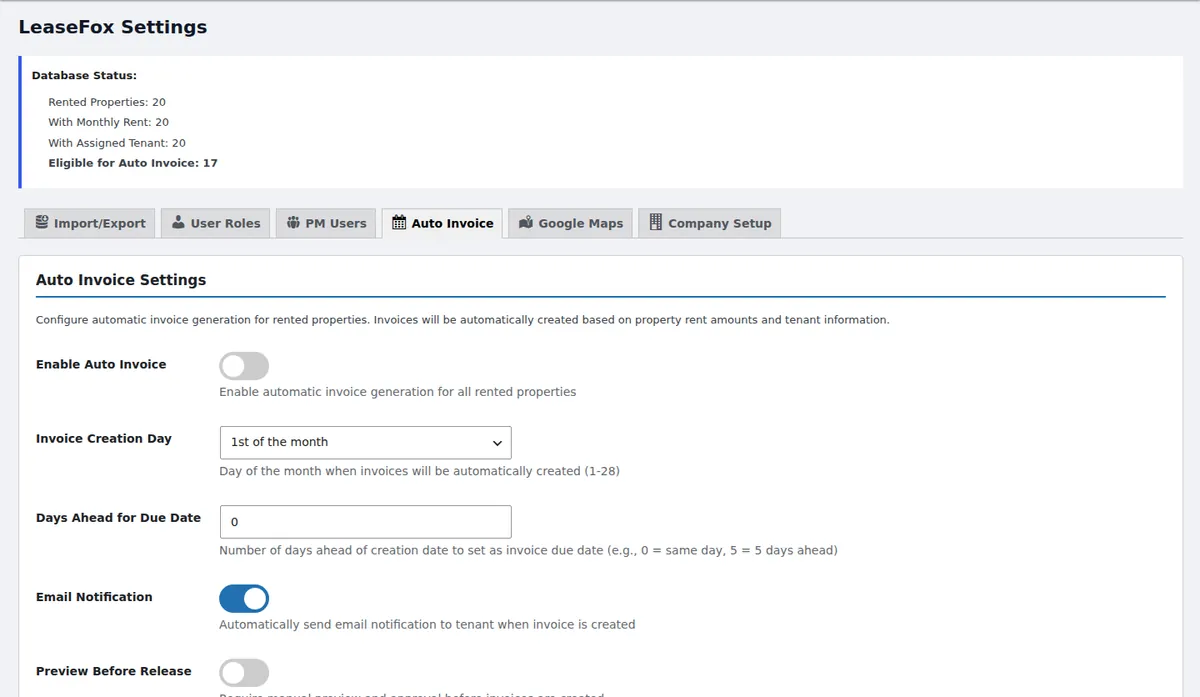
- Fast setup. Install it from WordPress.org, import a CSV of your properties and tenants, and turn on auto-invoicing.
A realistic small-landlord week in each
In Buildium, you log in to Buildium, review charges, and tenants pay through Buildium's portal. It's polished, and it's someone else's website.
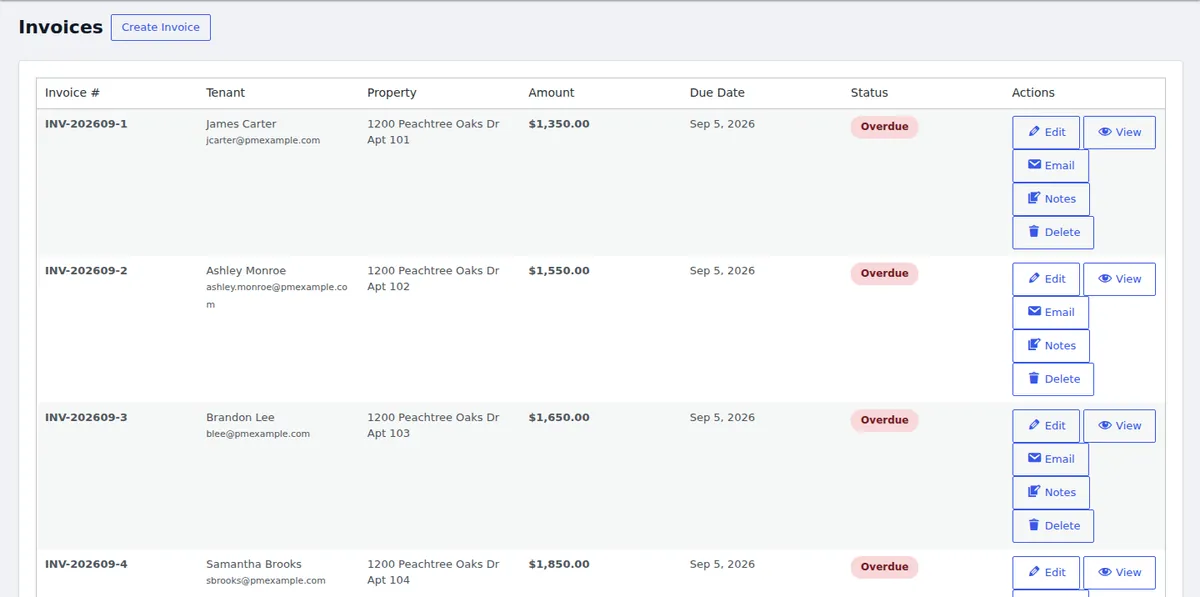
In LeaseFox, invoices are already created by auto-invoicing. You open the Invoices screen in WordPress to see what's paid and what's overdue, and tenants check their balance in the portal on your site.
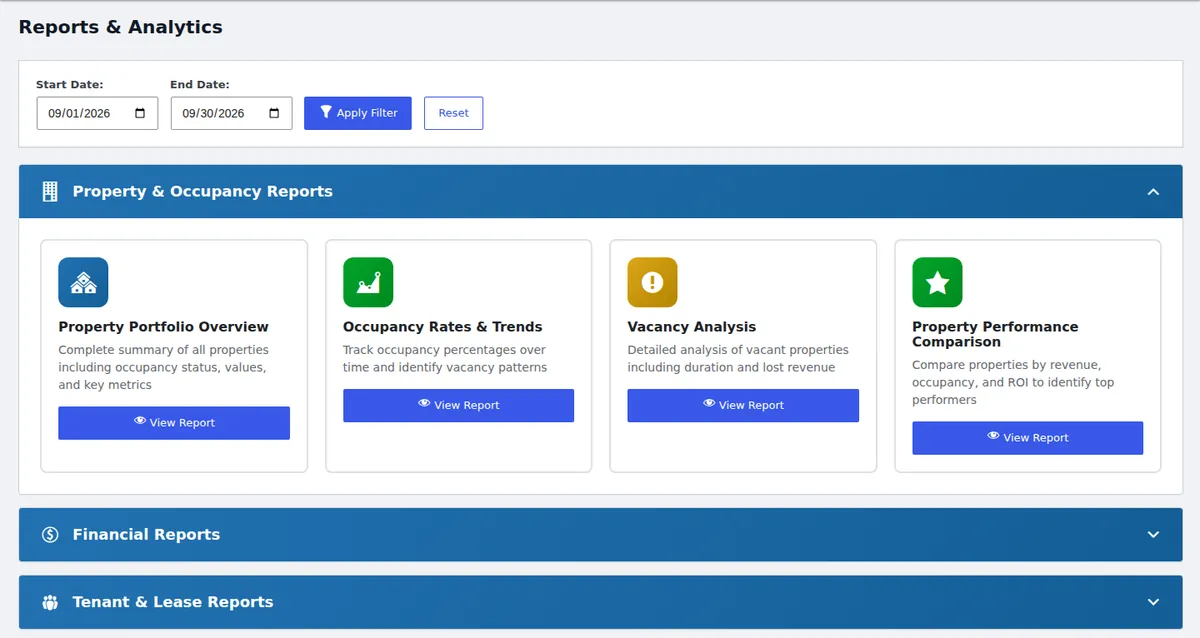
At month-end, Buildium offers deep accounting reports. LeaseFox gives you property, occupancy and financial reports, which is usually what a small landlord checks.
Can you switch later?
Yes, in either direction. LeaseFox imports properties and tenants from CSV, so you can start with a spreadsheet export. If you outgrow LeaseFox, your data is already in your own database and easy to export.
LeaseFox vs Buildium Bottom line
If you need a full accounting platform for a large portfolio, Buildium is the stronger product. If you're a small landlord with a WordPress site and want tenants, invoices and a portal without a monthly bill, start with the free LeaseFox plugin and upgrade only if you need online payments or e-signatures.
Install LeaseFox free on WordPress.org · Try the live demo
Buildium is a trademark of its owner. Prices are from Buildium's public pricing page and features from its features page (buildium.com/features), both checked October 2026; they may change.